Notepad, Notes, Easy Notebook
- 4.8
- Rating
- 10.00M
- Installs
- Free
- Price

 Analysis by App-foxy
When I need to capture something before it disappears from my head, I want a notepad that gets out of the way. Notepad, Notes, Easy Notebook takes that straightforward approach. It is a free productivity app from Simple Design Ltd. built around quick notes, checklists, shopping lists, and reminders rather than a large collection of complicated tools. After using it as an everyday scratchpad, I found its main strength is the short distance between having an idea and putting it somewhere useful.
That simplicity matters more than it sounds. Many note apps begin as blank pages but gradually turn into miniature project-management systems, with folders, formatting controls, collaboration options, and settings competing for attention. This app feels aimed at the person who wants to write down a phone number, prepare a grocery run, remember a task, or keep a short personal reference without learning a new system. It works best when the goal is reliable capture followed by a clear next action.
From a passing thought to a finished task
I’ll look at how a simple note can move through a household routine, from a quick capture to a task someone can actually complete. The key is choosing a clear next step before a passing thought gets buried among other reminders.
You May Also Like

 Blood Strike: 2.5 Anniversary
Blood Strike’s Loadouts Turn Every Drop Into a Tactical Gamble
A close look at Blood Strike’s custom loadouts: how fast access to signature weapons reshapes its battle royale rhythm, rewards preparation, and narrows the gap between fights.

 Pandora - Music & Podcasts
Pandora’s Music Is Easy to Start, but Harder to Recover
Pandora’s strength is its low-effort path from a seed to a station. Its weak spot is how much confidence it asks you to place in connection, setup, and quiet recovery.

 8 Ball Pool
 Is Built on Rivalries, Rematches, and Routine
A close look at the rivalries, rematches, shared routines, and unanswered safety questions that turn a quick pool match into a persistent mobile community.

 Samsung Music
’s Quiet Strength Is Playing What You Already Own
Its reach comes less from spectacle than from dependable access to a personal library. That simplicity is both the app’s strongest retention engine and its ceiling.

 AccuWeather: Weather Radar
AccuWeather Review: A Quick, Clear Forecast for Everyday Decisions
For everyday plans, the best forecast is the one you can understand quickly. AccuWeather makes rain timing, radar, and local conditions easy to act on, with a few trade-offs.

 Hill Climb Racing
Why Hill Climb Racing Still Turns Crashes Into One More Run
A tiny car, a bumpy hill and one more upgrade: Hill Climb Racing keeps resurfacing because its simple chaos makes every near-miss feel personal.
More From Our News Desk



Starting with the moment that needs capturing
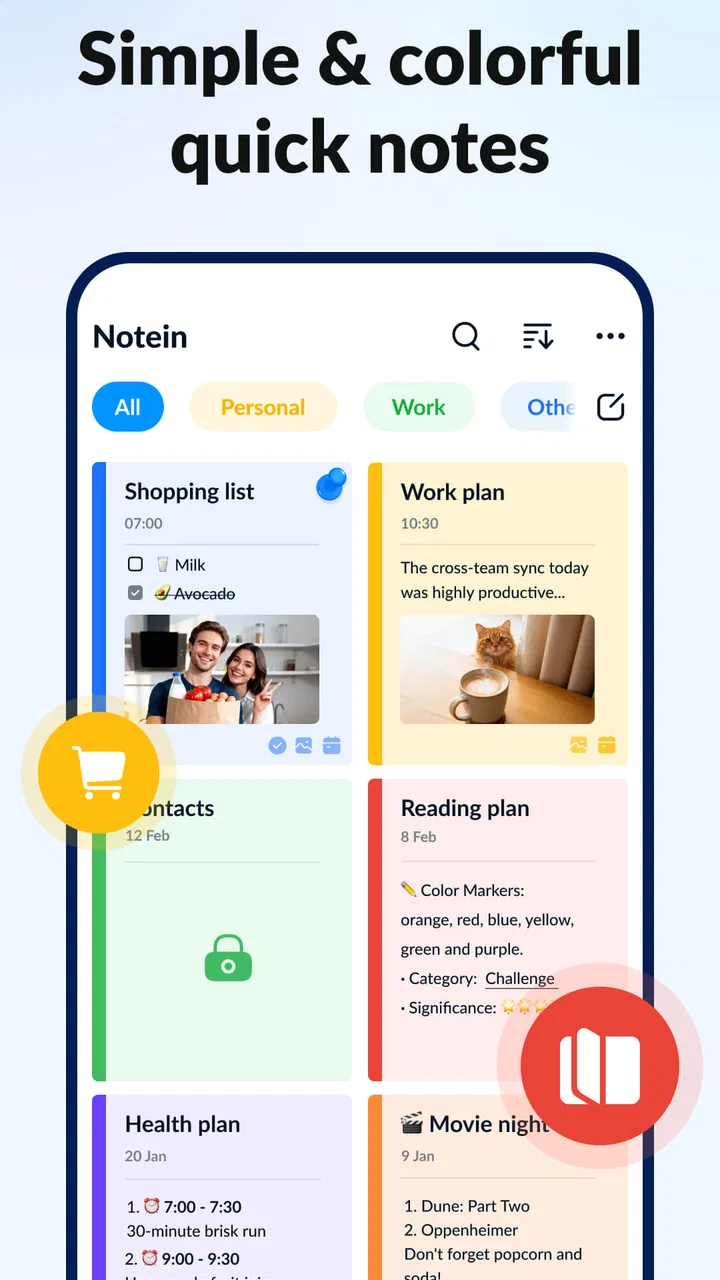
A realistic use case is a busy weekday evening. I notice that the kitchen is missing several basics, remember that I need to call someone tomorrow, and receive a quick idea for a weekend project. These are three different kinds of information, but I do not want three different apps. A simple notepad lets me put each item down immediately, while the list and reminder functions give the items a path beyond the initial note.
For a shopping trip, I would create a list and add items as they come to mind instead of trying to remember everything at the store. That distinction is important: a shopping list should be scanned quickly, while a general note can hold context. Separating those two uses keeps the final list practical. I can focus on what still needs buying rather than reading through a paragraph containing unrelated thoughts.
The same approach suits short work notes. I might record a meeting point, a few questions, or a sequence of errands. The app is not trying to replace a full document editor, and I see that as a benefit for this kind of input. There is less temptation to spend time arranging a note that only exists to help me remember something for the next few hours.
Turning rough input into an actionable list
Once the information is captured, the useful step is deciding what form it needs. A note is appropriate for information I may reread. A to-do list is better when each line represents an action. A reminder adds a time-based prompt when simply writing the task down is not enough. I found that this small classification habit makes the app more valuable than treating every entry as the same kind of memo.
For example, “prepare for appointment” is too vague to be a helpful checklist. I would break it into smaller entries such as gathering documents, writing questions, and checking the route. That gives the list a natural progression and makes completion visible. The app cannot make an unclear task clear by itself, so the quality of the result depends on how specifically I write the first version.
There is also a useful trade-off here. A short note can be created faster than a carefully organized task system, but it can become difficult to act on if I leave everything in one long block. My advice is to use the fastest format at the moment of capture, then clean it up when I have a spare minute. That preserves speed without allowing the notebook to become a storage drawer full of unfinished thoughts.
Using reminders without turning the app into a calendar
Reminders are most helpful for tasks that are easy to forget but do not deserve a full calendar event. I would use one for taking something out of the freezer, checking a delivery detail, or calling a service during opening hours. These are small prompts connected to a note, not complete appointments with several participants and a long schedule.
This is where I would draw a clear boundary. If I need recurring meetings, shared schedules, invitations, or a detailed view of an entire week, a dedicated calendar is the better tool. Notepad, Notes, Easy Notebook is more comfortable for personal nudges attached to information I have written myself. It handles the memory problem; it is not a replacement for every planning app.
A practical workflow is to write the task in plain language, add the relevant detail in the same note, and set the reminder only after confirming that the wording tells me what to do. “Send the form” is less useful than “Send the signed insurance form to the office.” The second version reduces the chance that the alert appears later and still leaves me wondering what it meant.
Managing the handoff from note to action
The most important handoff happens when a private note becomes something I need to act on outside the app. A shopping list moves with me into a store. A reminder prompts a phone call. A short idea becomes a checklist for a task. I like the app for these transitions because the content can remain compact, but I also noticed that the handoff is where discipline matters most.
Before leaving home, I would review the list and remove duplicates, combine items that belong together, and put the most urgent entries where they are easy to see. This takes a little preparation, but it prevents the common problem of collecting notes without ever converting them into decisions. The app gives me a convenient holding place; I still have to perform the final sorting.
For a work situation, I would treat it as a personal staging area rather than the official destination for important information. I might capture a detail during a conversation, then transfer the relevant part into the team’s approved system. That two-step process is useful because quick capture and long-term collaboration have different requirements. A lightweight notebook is excellent for the first step, while a shared service is usually better for the second.
I would also avoid using it as the only home for information that must be available to several people. A personal note can be perfectly organized and still fail as a handoff if nobody else can see or update it. This is one of the app’s clearest limits compared with collaboration-focused alternatives. Its simplicity helps individual work, but it does not create a shared workflow by itself.
What the finished result looks like
At the end of the weekday scenario, the result is not a beautifully designed knowledge base. It is more practical: the groceries are grouped into a list, the call has a reminder, and the weekend idea has enough detail to start later. That is the kind of outcome I think this app handles well. It reduces mental clutter and gives small obligations a visible place to go.
The app also suits people who prefer writing in their own words instead of selecting from rigid templates. A note can be as brief as a single sentence or expanded into a personal reference. That flexibility makes it useful for household planning, study prompts, travel preparation, simple journaling, and quick work capture. I would not choose it because it promises to organize my entire life; I would choose it because it makes everyday remembering less fragile.
Its broad adoption reflects that approachable purpose. The app has passed 10 million installs, and its average rating is 4.8 from a large body of user feedback. Those figures do not guarantee that every person will like the design, but they do suggest that the basic idea connects with many people: open a note, write something down, and move on.
Small habits that make it more useful
My first tip is to give notes titles that describe the outcome, not merely the topic. “Saturday preparation” is more useful than “weekend,” because it tells me why I should open the note. This becomes especially valuable after several days, when vague titles begin to look identical.
My second tip is to keep temporary capture separate from durable reference. A quick thought may be valuable for ten minutes and irrelevant afterward. I would review those notes regularly and either turn them into tasks, move the useful information into a more permanent note, or delete them. Without that cleanup, even a simple notebook can become noisy.
My third tip is to use checklists for sequences, not just collections. If the order matters, I would write the steps in the order I expect to perform them. If the order does not matter, I would group similar items together. This makes the list easier to scan and reduces the chance of skipping a small but necessary step.
A fourth useful habit is to write the context directly into reminders. A future alert is easy to misunderstand when it contains only a short verb. Adding the location, person, or reason makes the prompt more self-contained. That is a small change, but it improves the handoff from “I should remember this” to “I know exactly what to do now.”
Where the workflow breaks
The same minimal design that makes quick notes comfortable can feel restrictive when a project grows. If I need extensive formatting, linked references, attachments arranged across a research system, or detailed collaboration, I would look at a more specialized notes platform. Those tools take longer to learn, but they offer a deeper structure for information that must be revisited and developed over time.
There is also a difference between a reminder and a complete planning system. Someone managing multiple deadlines, recurring responsibilities, or shared household schedules may outgrow this app quickly. In that case, a calendar or task manager with stronger sorting and scheduling controls would provide a clearer overview. I would still consider this app useful for quick capture, but not as the central command center.
Another point to consider is the free model. The app is free to download and use, while in-app purchases range from $3.99 to $30.99 per item. I would check which functions are included in the version I intend to use before building my entire routine around it. For a basic notepad workflow, the appeal is the low barrier to starting; for someone expecting every advanced convenience without any purchase prompts, that model may be less comfortable.
The current version is 1.3.9.94 and it supports devices running Android 8.0 or later. That makes the app accessible on many reasonably recent Android phones, though anyone using an older device should check compatibility before planning a switch. It is rated for Everyone, which fits the ordinary personal and household uses I found most natural.
Who should use it and who should skip it
I would recommend it to students who need quick revision points, shoppers who want a focused list, families organizing small household jobs, and anyone who regularly loses useful thoughts between errands. It is also a good fit for people who feel overwhelmed by feature-heavy productivity systems and want to begin with notes, lists, and reminders rather than a large setup process.
I would steer away from it if my priority were team editing, formal document creation, advanced project tracking, or a searchable personal archive with elaborate relationships between pages. In those situations, the usual alternatives are stronger because they are designed around depth or collaboration. Choosing this app for those jobs would mean fighting its lightweight character instead of benefiting from it.
My overall impression is that Notepad, Notes, Easy Notebook succeeds when I treat it as a dependable personal bridge between thought and action. It is not the most powerful option in the productivity category, and it should not be judged by the standards of a full calendar, shared task manager, or research workspace. Its value is narrower and more immediate: capture the thing, shape it into a note or list, attach a reminder when needed, and finish the small job before it disappears.
For that reason, I would happily recommend Notepad, Notes, Easy Notebook to a friend who wants a free, uncomplicated place for everyday notes. I would tell them to keep titles clear, review temporary entries, and move important shared information into the right collaborative tool. Used with those boundaries, this is a practical productivity companion rather than an overbuilt system—quick to understand, easy to fit into daily routines, and honest about the kind of work it is meant to handle.
FAQs for Notepad, Notes, Easy Notebook
01What features does Notepad, Notes, Easy Notebook offer?
Notepad, Notes, Easy Notebook provides a range of features to enhance your note-taking experience. Users can create, edit, and organize notes efficiently. It supports rich text formatting, multiple notebooks, and checklists. Additionally, it offers cloud sync, ensuring your notes are accessible across devices. The app also includes a search function for easy retrieval of information.
02Is Notepad, Notes, Easy Notebook available offline?
Yes, Notepad, Notes, Easy Notebook functions offline, allowing users to create and edit notes without an internet connection. However, to sync your notes across devices, an internet connection is required. This feature ensures that your notes are always up-to-date and accessible whenever you reconnect to the internet.
03How secure is my data with Notepad, Notes, Easy Notebook?
Notepad, Notes, Easy Notebook prioritizes user data security. It offers password protection and encryption to safeguard your notes. Additionally, it provides cloud backup options which are encrypted to prevent unauthorized access. Users can confidently store sensitive information knowing that security measures are in place to protect their data.
04Is there a limit to the number of notes I can create?
Notepad, Notes, Easy Notebook does not impose a strict limit on the number of notes you can create. However, the actual capacity might depend on your device's storage. With cloud sync, users can effectively manage and access a large number of notes without worrying about running out of space on their device.
05Does Notepad, Notes, Easy Notebook have collaboration features?
Currently, Notepad, Notes, Easy Notebook does not support real-time collaboration directly within the app. However, users can share notes via email or other messaging apps. This allows for input and feedback from others, although it might not be as seamless as real-time collaboration tools.
Pros
- User-friendly interface
- easy navigation.
- Quick note-taking with minimal setup.
- Supports rich text formatting options.
- Cloud sync for access across devices.
- Customizable themes for personalization.
Cons
- Limited collaboration features.
- No voice-to-text functionality.
- Lacks advanced organization tools.
- Ads in free version can be intrusive.
- No offline access without sync.

Notepad, Notes, Easy Notebook
Gallery